

Teksi1
Drive with Teksi, or rent out your cars.
Teksi1 is the app for the people who move Teksi riders: drivers who take ride requests, and rental companies that list their cars.
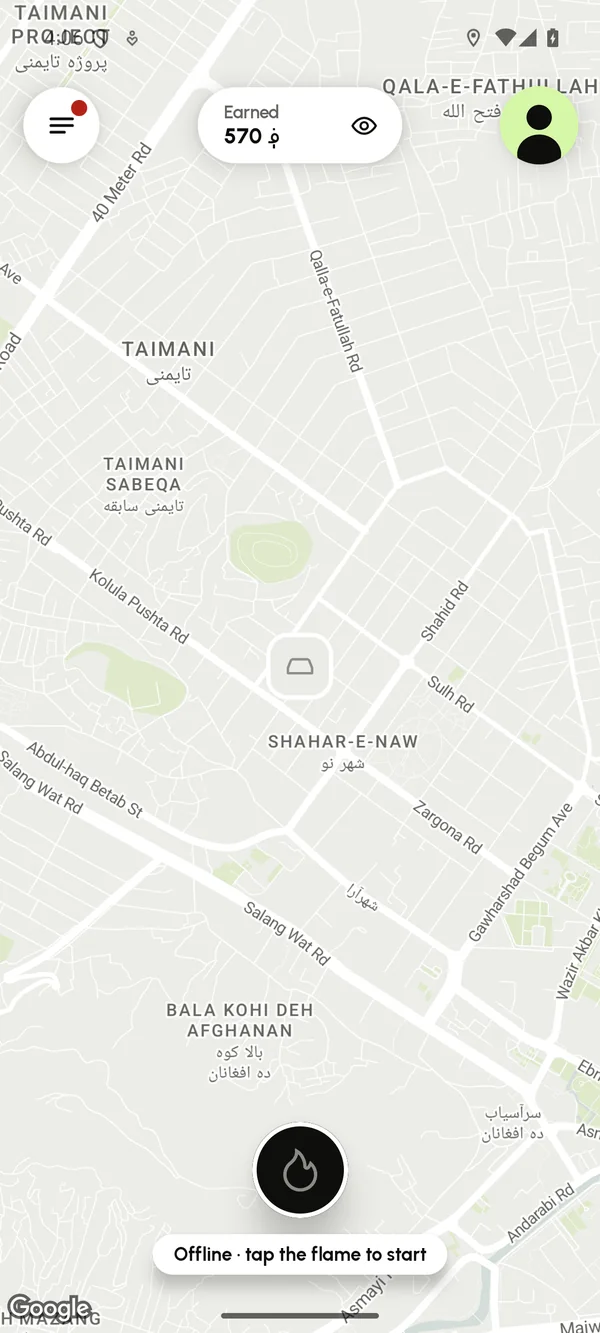
For drivers
Your car, your hours
Go online with one tap
Tap the flame and riders' requests start to arrive. Go offline whenever you like.
Take the price, or ask a little more
Accept the rider's price and the ride is yours at once. Or ask up to 30% more, in steps of 5 ؋; the rider decides.
Directions with Google Maps
One tap opens turn-by-turn directions to the pickup and to the destination.
See what you earn
Today, this week and in total, ride by ride.
How to start
- 1
Sign in with Google or your phone number and choose “Drive with Teksi”.
- 2
Add your car: make, model, colour, plate and type.
- 3
Send your documents from the app.
- 4
Once your documents are in and your account is approved, tap the flame to go online.
Documents you need
- A profile photo
- Your driving licence, front and back
- Your tazkira or passport
- The vehicle registration (jawaz-e sair)
- A photo of the car with the plate readable
- Your address and phone number
For rental companies
Your fleet in Teksi's Rent
Your company page
Logo, cover photo, description, opening hours, WhatsApp, and your own terms: deposit, km per day, fuel policy, minimum age and free cancellation.
Requests, or instant confirmation
Accept or decline each request with a note, or let free dates confirm automatically.
A calendar for the whole fleet
Every car over the next 30 days: bookings, requests and blocked days at a glance.
Reviews and insights
Answer renters' reviews, and see bookings, income and your most popular cars.
Renters pay you directly when they collect the car. Teksi takes no commission on rentals for now.
Get Teksi1
Teksi1 is being prepared for Google Play. The download button will appear here as soon as it is published.